On this page
If you’ve worked with .NET, you probably know Hangfire. It’s the go-to library for background job processing: fire and forget jobs, delayed jobs, recurring jobs, continuations. Simple API, built in dashboard, persistent storage.
Now you’re working in Java. You’re looking for the same thing. JobRunr is that thing.
What Makes Hangfire Great
Hangfire solved background job processing for .NET developers. Before Hangfire, you had Windows Services, custom queue consumers, and a lot of boilerplate. Hangfire gave you:
- Simple lambda syntax for creating jobs
- Persistent storage so jobs survive restarts
- A built in dashboard to monitor everything
- Automatic retries with exponential backoff
- Distributed processing across multiple servers
Sound familiar? These are exactly the features JobRunr provides for Java.
JobRunr: The Java Equivalent
Let’s compare the APIs side by side.
Fire and Forget Jobs
Hangfire (.NET):
BackgroundJob.Enqueue(() => Console.WriteLine("Fire-and-forget!"));
JobRunr (Java):
BackgroundJob.enqueue(() -> System.out.println("Fire-and-forget!"));
Almost identical. JobRunr uses Java 8 lambdas the same way Hangfire uses .NET lambdas.
Delayed Jobs
Hangfire (.NET):
BackgroundJob.Schedule(
    () => Console.WriteLine("Delayed!"),
    TimeSpan.FromDays(7));
JobRunr (Java):
BackgroundJob.schedule(Instant.now().plus(Duration.ofDays(7)),
    () -> System.out.println("Delayed!"));
Recurring Jobs
Hangfire (.NET):
RecurringJob.AddOrUpdate(
    "myrecurringjob",
    () => Console.WriteLine("Recurring!"),
    Cron.Daily);
JobRunr (Java):
BackgroundJob.scheduleRecurrently("myrecurringjob", Cron.daily(),
    () -> System.out.println("Recurring!"));
Continuations
Hangfire (.NET):
var jobId = BackgroundJob.Enqueue(() => Step1());
BackgroundJob.ContinueJobWith(jobId, () => Step2());
JobRunr Pro (Java):
BackgroundJob
    .enqueue(() -> step1())
    .continueWith(() -> step2());
Job chaining is a Pro feature in JobRunr, just like batch continuations in Hangfire Pro.
The Dashboard
If you loved Hangfire’s dashboard, you’ll feel right at home with JobRunr’s.
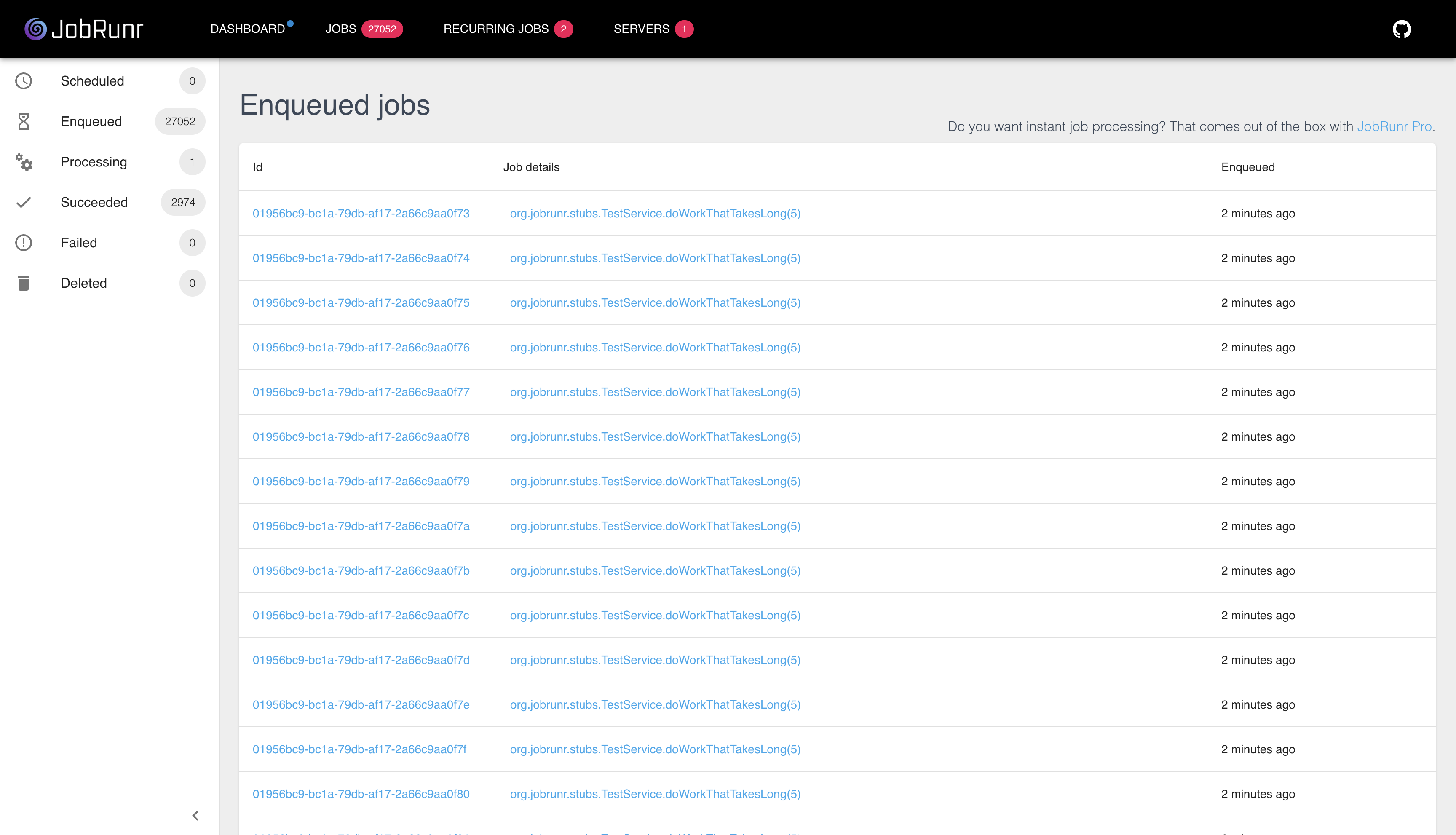
Both dashboards give you:
- Real time view of all jobs
- Job status filtering (enqueued, processing, succeeded, failed)
- Detailed exception information for failed jobs
- Manual retry and delete actions
- Server monitoring
JobRunr’s dashboard is embedded in your application. No separate deployment needed.
Storage Options
Hangfire supports:
- SQL Server
- Redis (Pro)
- PostgreSQL (community)
JobRunr supports:
- PostgreSQL
- MySQL / MariaDB
- Oracle
- SQL Server
- SQLite
- DB2
- H2
- MongoDB
JobRunr has broader storage support out of the box, including NoSQL options in the open source version.
Framework Integration
Hangfire integrates with:
- ASP.NET Core
- OWIN
JobRunr integrates with:
- Spring Boot (with starter)
- Quarkus (with extension)
- Micronaut (with integration)
- Plain Java
If you’re using Spring Boot (which many .NET developers move to), JobRunr has first class support:
<dependency>
    <groupId>org.jobrunr</groupId>
    <artifactId>jobrunr-spring-boot-4-starter</artifactId>
    <version>8.5.0</version>
</dependency>
Add the dependency, configure your database, and you’re done.
What JobRunr Does Differently
Carbon Aware Scheduling
JobRunr can schedule jobs to run when electricity is greenest. This is unique to JobRunr.
BackgroundJob.schedule(CarbonAware.between(now, now.plus(5, HOURS)),
    () -> generateReport());
Built in Observability
JobRunr integrates with Micrometer out of the box. If you’re using Prometheus, Grafana, or any other monitoring tool, JobRunr metrics flow right in. No extra configuration.
Getting Started
If you’re ready to try JobRunr, start here:
- 5 Minute Introduction to understand the basics
- Spring Boot Configuration if you’re using Spring
- Pro Features if you need enterprise capabilities
Or just add the dependency and start writing jobs. The API will feel familiar.
// This is all you need to create a background job
BackgroundJob.enqueue(() -> sendWelcomeEmail(user.getId()));
Welcome to Java. Your background jobs are in good hands.
Looking for help migrating from .NET to Java? Talk to us about your project.