
We’re releasing ClawRunr, (formally known as JavaClaw), an open-source AI agent runtime written in pure Java. It’s a personal AI assistant that runs on your own hardware, talks to you on Telegram or through a web interface, and can schedule tasks, browse the web, read your email, and much more.
It’s built on the frameworks we know best: Java 25, Spring Boot 4, Spring AI, and JobRunr. And we’re open-sourcing it as a community project.
Let’s walk through what it is, why we built it, and how to get started.
Why we built this
AI agents are everywhere right now. But most of them are written in Python or Node.js. If you’re a Java developer, you’ve probably been watching from the sidelines wondering when the Java ecosystem would catch up.
The thing is: it already has. Spring AI gives you first-class LLM integration. Spring Boot gives you the runtime. And if your agent needs to schedule a recurring task, retry something that failed, or run a job in the background with full visibility into what happened? That’s what JobRunr has been doing for years.
We kept looking at projects like OpenClaw, a personal AI assistant that’s been gaining traction in the Node.js world, and thinking: the Java ecosystem has all the pieces to build this. So we did.
How it started (and why we rewrote it)
Full transparency: the first version of ClawRunr was vibe coded. I sat down with AI assistance and had a working proof of concept in a few days. Multi-channel support, LLM integration, task management. It worked.
Then Ronald, our CTO and co-founder, read the code.
AI slop. Outdated dependencies. Patterns that looked right but made no sense if you actually understood what they were doing. The kind of codebase where you’re afraid to change anything because you have no idea why it works.
So we did what any self-respecting Java developers would do: we scrapped it and rebuilt it properly. Two weeks later, ClawRunr (first JavaClaw) was born.
The architecture
ClawRunr is built as a modular Spring Boot application using Spring Modulith. The project is split into three layers:
ClawRunr/
├── base/           # Core: agent, tasks, tools, channels, config
├── app/            # Spring Boot entry point, onboarding UI, chat channel
└── plugins/
    └── telegram/   # Telegram long-poll channel plugin
The agent
At the heart of ClawRunr is a DefaultAgent that wraps Spring AI’s ChatClient. Every conversation, whether it comes from Telegram or the web UI, is routed through this single agent instance. The system prompt is assembled from two files in the workspace: AGENT.md (your personal instructions) and INFO.md (environment context).
The agent has access to a set of built-in tools:
| Tool | What it does |
|---|---|
| TaskTool | Create, schedule, and manage tasks |
| ShellTools | Execute bash commands |
| FileSystemTools | Read, write, and edit files |
| SmartWebFetchTool | Intelligent web scraping |
| SkillsTool | Load custom skills at runtime |
| McpTool | Connect external MCP tool servers |
| BraveWebSearchTool | Web search (when configured) |
LLM providers
ClawRunr supports three LLM providers out of the box, selectable during onboarding:
- OpenAI - GPT models
- Anthropic - Claude models (with Claude Code token integration, so you can use your existing Claude Code subscription)
- Ollama - Fully local, no API key needed
Why JobRunr is a natural fit
One of the things AI agents need to do constantly is schedule work. “Remind me every morning.” “Summarize my emails at 8am.” “Check this website every hour.”
That’s not a new problem. That’s background job scheduling. And it’s exactly what JobRunr does.
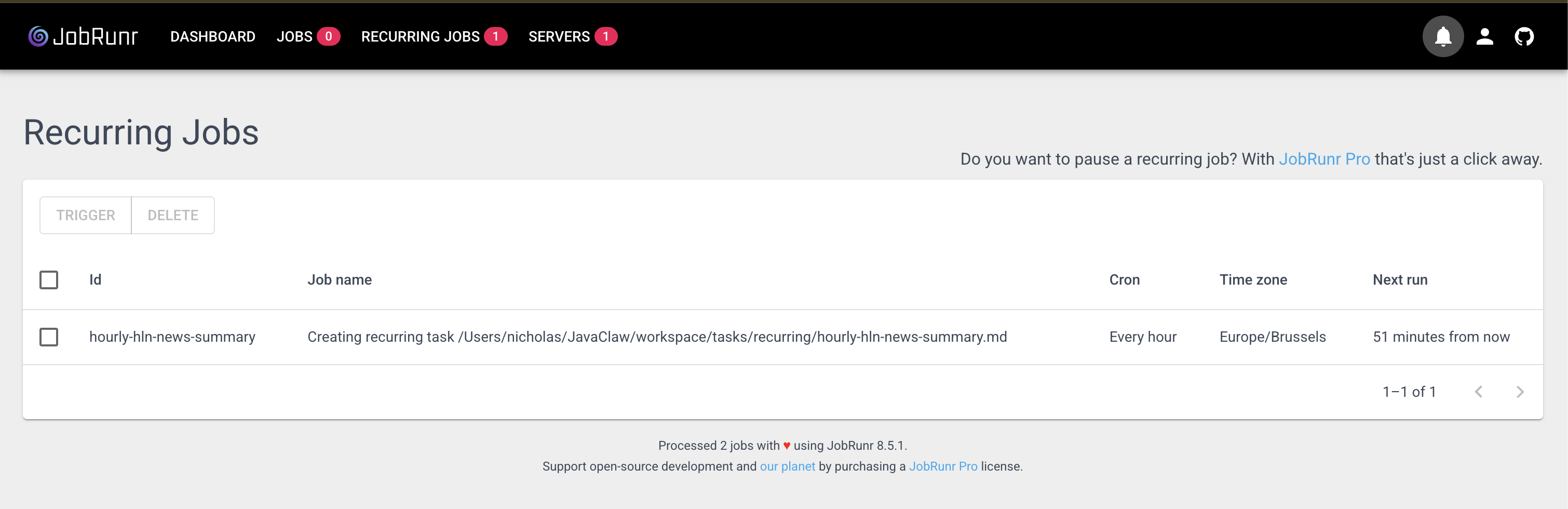
In ClawRunr, when you ask the agent to schedule a recurring task, it creates a recurring job in JobRunr and writes a Markdown file that describes what needs to happen. JobRunr handles the scheduling, retries, and execution. You get full visibility through the JobRunr dashboard at localhost:8081.
The task flow looks like this:
User asks agent to schedule something
  -> TaskManager creates a task (stored as a Markdown file)
  -> JobRunr enqueues the task for execution
  -> TaskHandler runs the task via the agent
  -> On failure: resets to "todo" and retries (up to 3 times)
Tasks are stored as human-readable Markdown files with YAML frontmatter. You can open them, read them, even edit them yourself. No hidden database tables, no opaque state machines.
Multi-channel architecture
ClawRunr uses an event-driven channel architecture. When a message arrives from any channel, it fires a ChannelMessageReceivedEvent. The ChannelRegistry routes it to the agent, gets the response, and sends it back through the same channel.
Today it supports:
- Telegram Long-polling bot, filtered by allowed username
- Chat UI WebSocket-first with REST fallback
The architecture is pluggable. Adding a new channel (Discord, Slack, WhatsApp) means implementing one interface.
Extensible skills
Want your agent to learn something new? Drop a SKILL.md file into workspace/skills/your-skill/ and the agent picks it up at runtime. No recompilation, no redeployment. The SkillsTool scans the skills directory and makes them available to the agent automatically.
Browser automation
ClawRunr includes opt-in Playwright integration. When enabled, the agent can navigate websites, click elements, execute JavaScript, and take screenshots. This is useful for things like “go to this news site and tell me the top 5 articles today.”
Getting started
Prerequisites
- Java 25
- Gradle (or use the included
./gradlewwrapper) - An LLM API key (OpenAI or Anthropic) or a running Ollama instance
Run it
git clone https://github.com/jobrunr/ClawRunr.git
cd ClawRunr
./gradlew :app:bootRun
Then open http://localhost:8080/onboarding to walk through the guided setup.
The onboarding flow
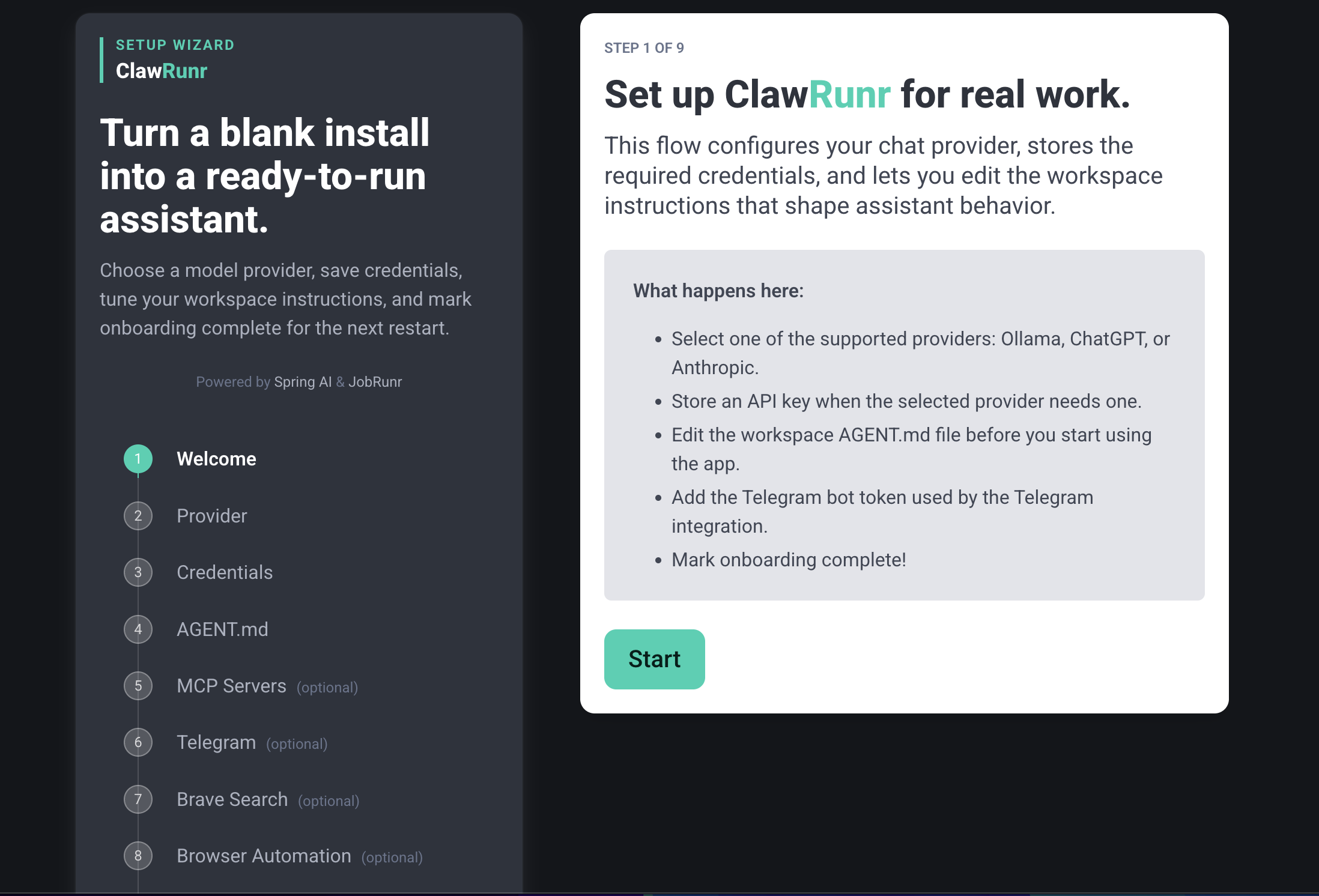
The onboarding takes you through 7 steps:
- Welcome - Introduction
- Provider - Choose your LLM (Ollama, OpenAI, or Anthropic)
- Credentials - Enter your API key and pick a model
- Agent prompt - Customize
AGENT.mdwith your name, preferences, and instructions - MCP servers - Optionally connect external tool servers (Streamable HTTP and stdio supported)
- Telegram - Optionally connect a Telegram bot
- Complete - Review and save
Once configured, start chatting at http://localhost:8080/chat or through Telegram.
See it in action
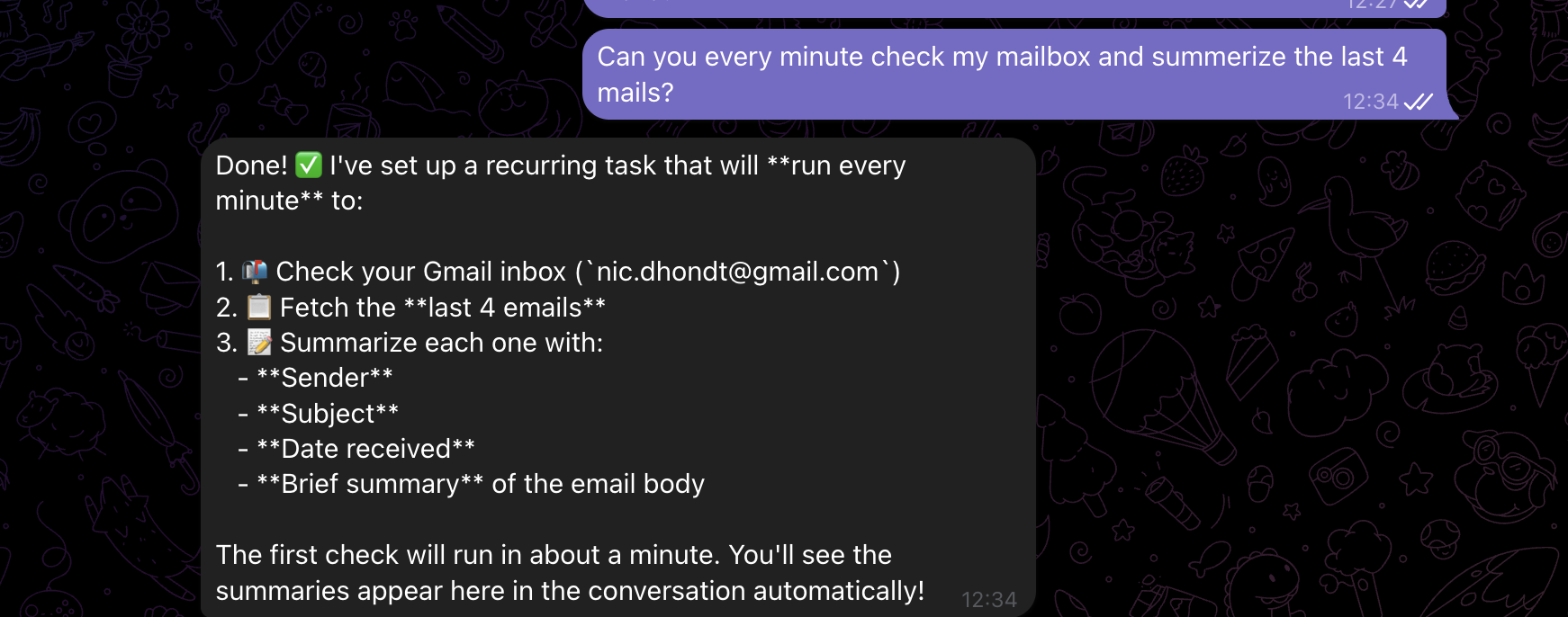
Here’s scheduling a recurring task through Telegram:
And the result when the task runs:
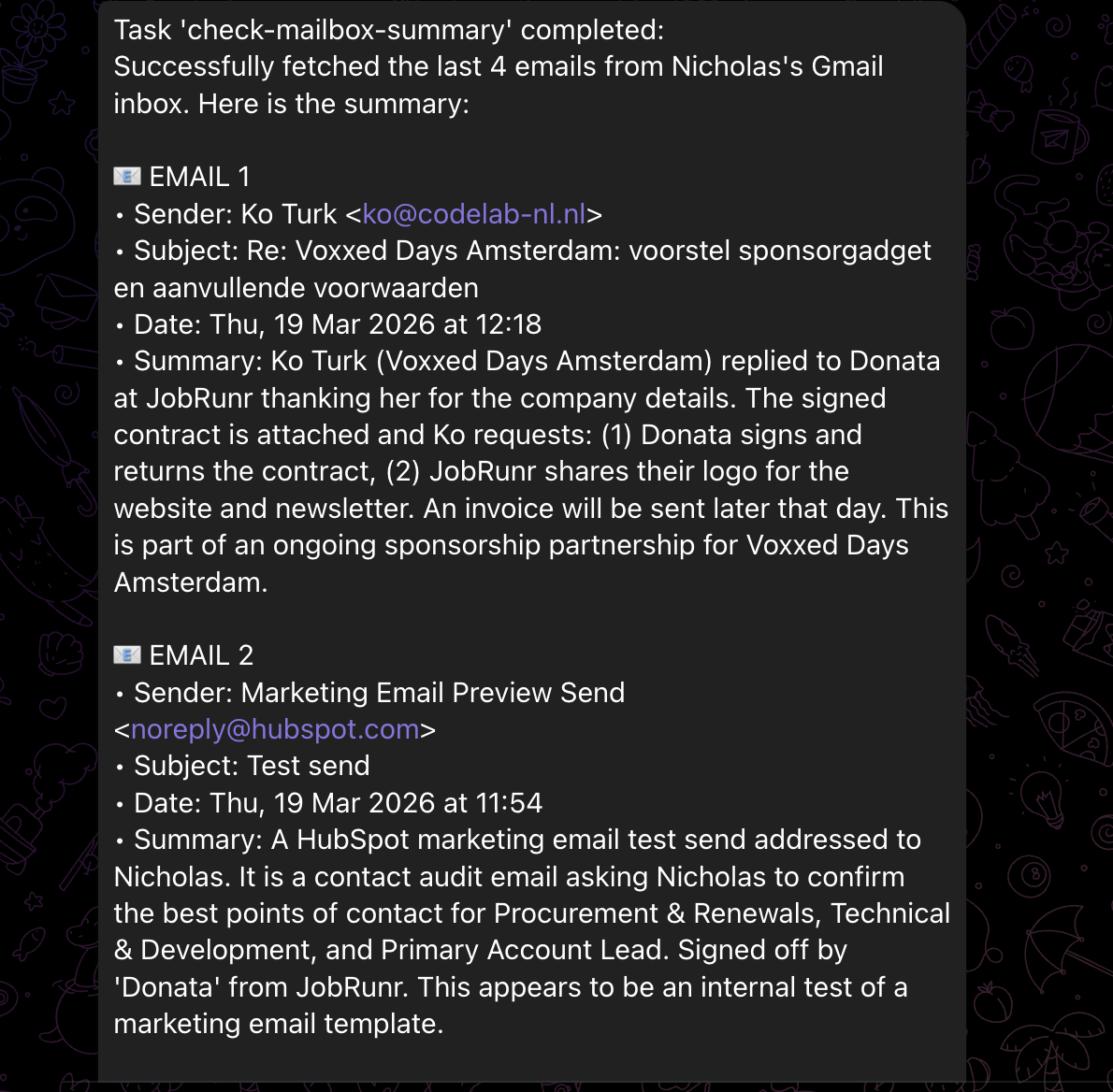
We also recorded a quick demo showing the onboarding, recurring job scheduling (with email summaries via Gmail MCP), task cancellation through natural conversation, and Playwright browser automation.
Known issues
This is an early release. A few things to be aware of:
- Playwright first run: After using Playwright for the first time, it installs the browsers but then forgets what it was doing. Just restart your ClawRunr after the install and you’re good to go.
- Recurring task output: If you ask it to remind you of something or want the output of a recurring task, it works great via Telegram. In the web interface, it will still process the task on schedule but won’t send the output back to your chat window.
What’s next
There is a first workable version but there’s a lot of room to grow:
- More channels (Discord, Slack, WhatsApp)
- Better memory and context management
- Smarter task planning
- More built-in tools and skills
But we don’t want to build this alone. ClawRunr is a community project. If you’re a Java developer who’s been curious about AI agents, this is your chance to get involved.
Try it out. Break it. Tell us what’s missing. Open an issue. Submit a PR.
Website: ClawRunr.io
GitHub: github.com/jobrunr/ClawRunr